


Apple Calendar works with Prayde.
Prayde can read events from Apple Calendar and show them inside your day. Events created in Prayde can also be written back to Apple Calendar, so your day stays connected without needing to manage everything twice.
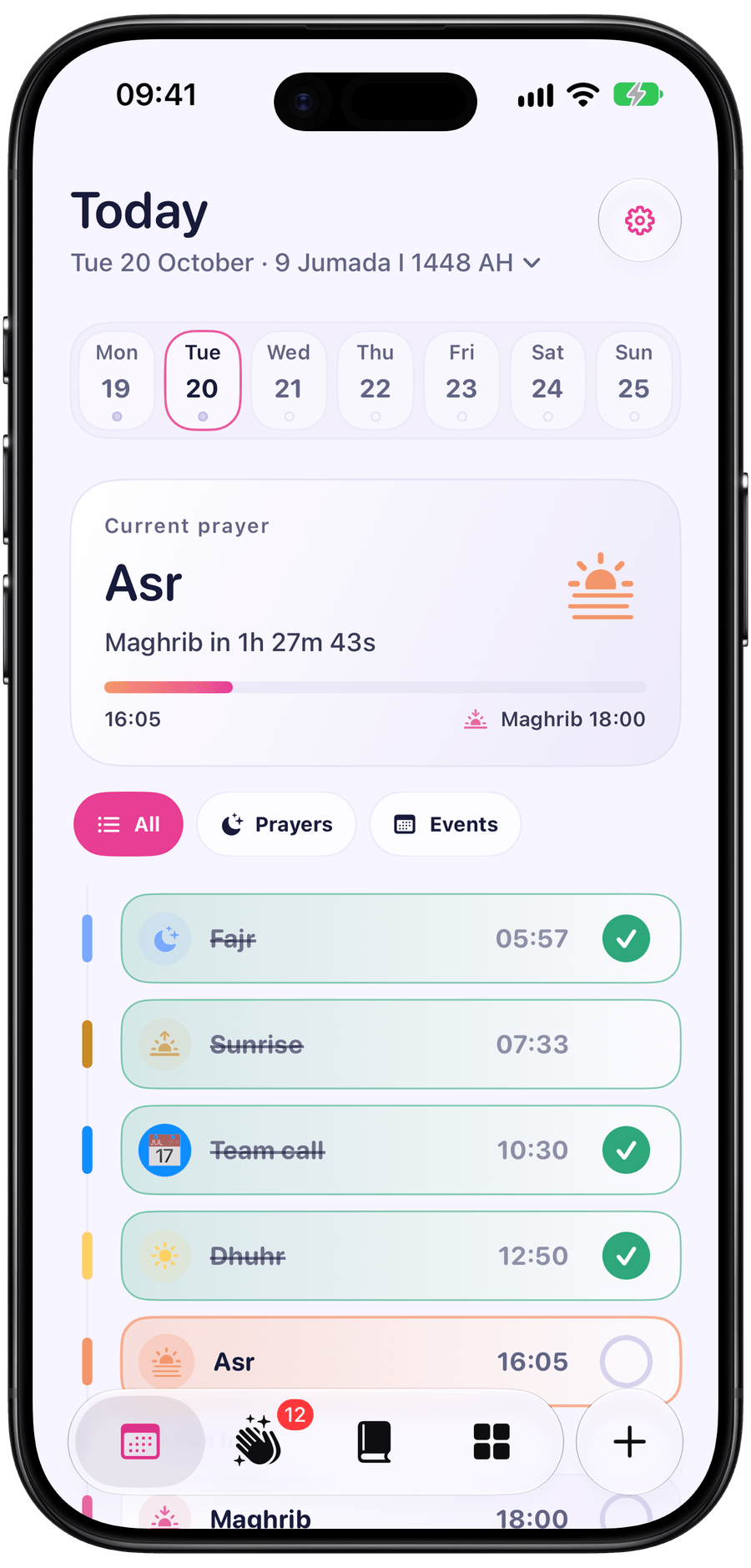
Today
Free on iPhone, iPad and iPhone Duo. No ads, accounts or subscriptions.
Today brings your Salah times, Apple Calendar events and free time together in the order they happen. See the current prayer, the next prayer, upcoming events, and the open space in your day. The Current prayer card has a live countdown, and the week strip lets you look back or ahead.
Prayde can read events from Apple Calendar and show them inside your day. Events created in Prayde can also be written back to Apple Calendar, so your day stays connected without needing to manage everything twice.
Adding an event in Prayde is designed to be quick and useful. Add a title, time, emoji, colour, location, notes and reminder, then see how that event fits around your Salah.
Mark what you prayed, see what was missed, and keep made-up prayers separate without accounts or syncing. Prayde records earlier days as prayed on time or made up later, with prayer history and a make-up plan for missed prayers. Excused days stay separate through private prayer exemption, with optional Apple Health sync.

Prayde brings Arabic, transliteration and translations together for reading. Choose a reciter, download audio for offline listening, save favourite ayahs and use a bookmark to return to where you stopped.
Sources and credits →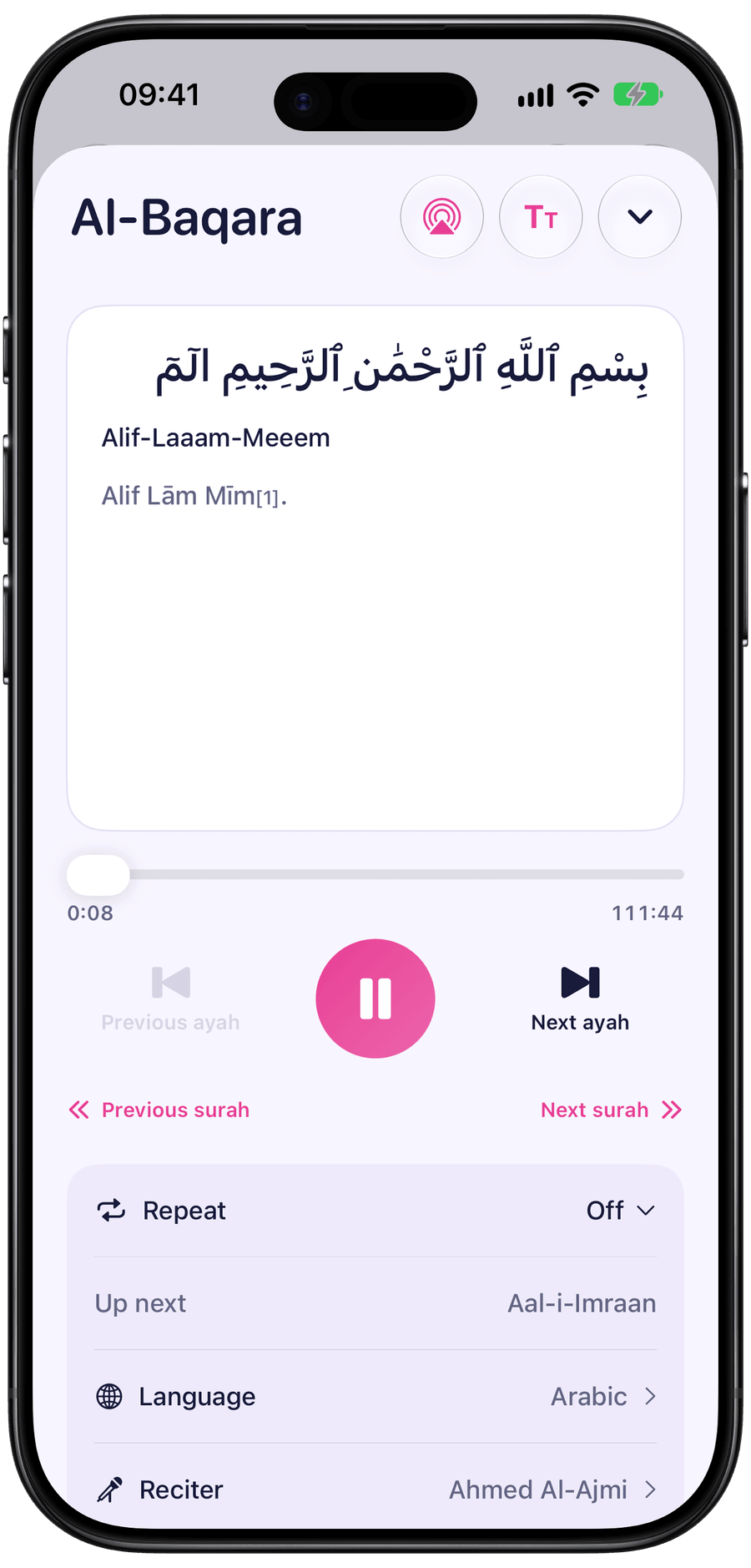
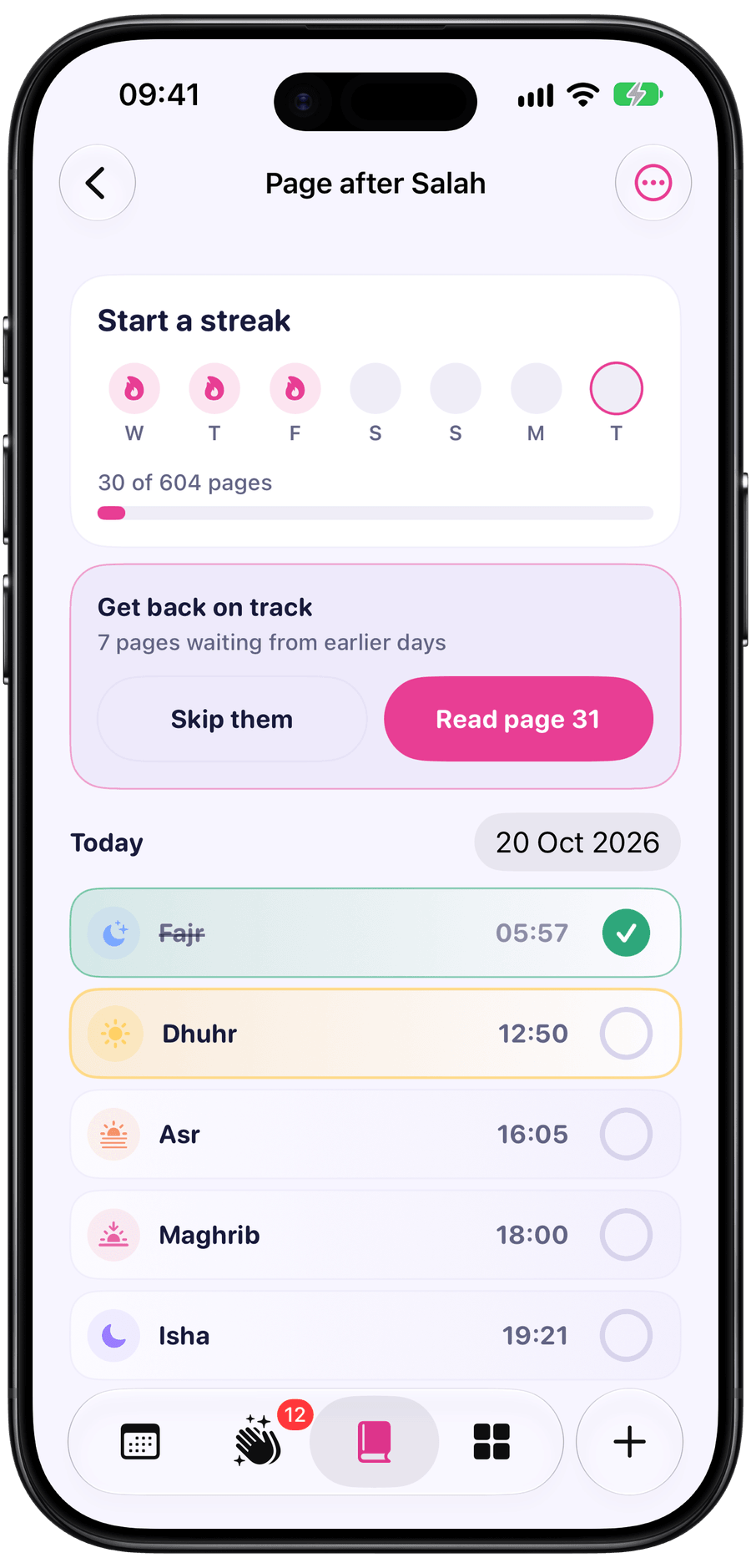
Prayde gives you ready-made Quran and dua challenges, plus custom plans for a surah, Juz or dua collection. Browse duas by category, with an Ayah of the day and a Dua of the day. See each challenge’s progress and streak, with catch-up readings counted towards the day they belong to.
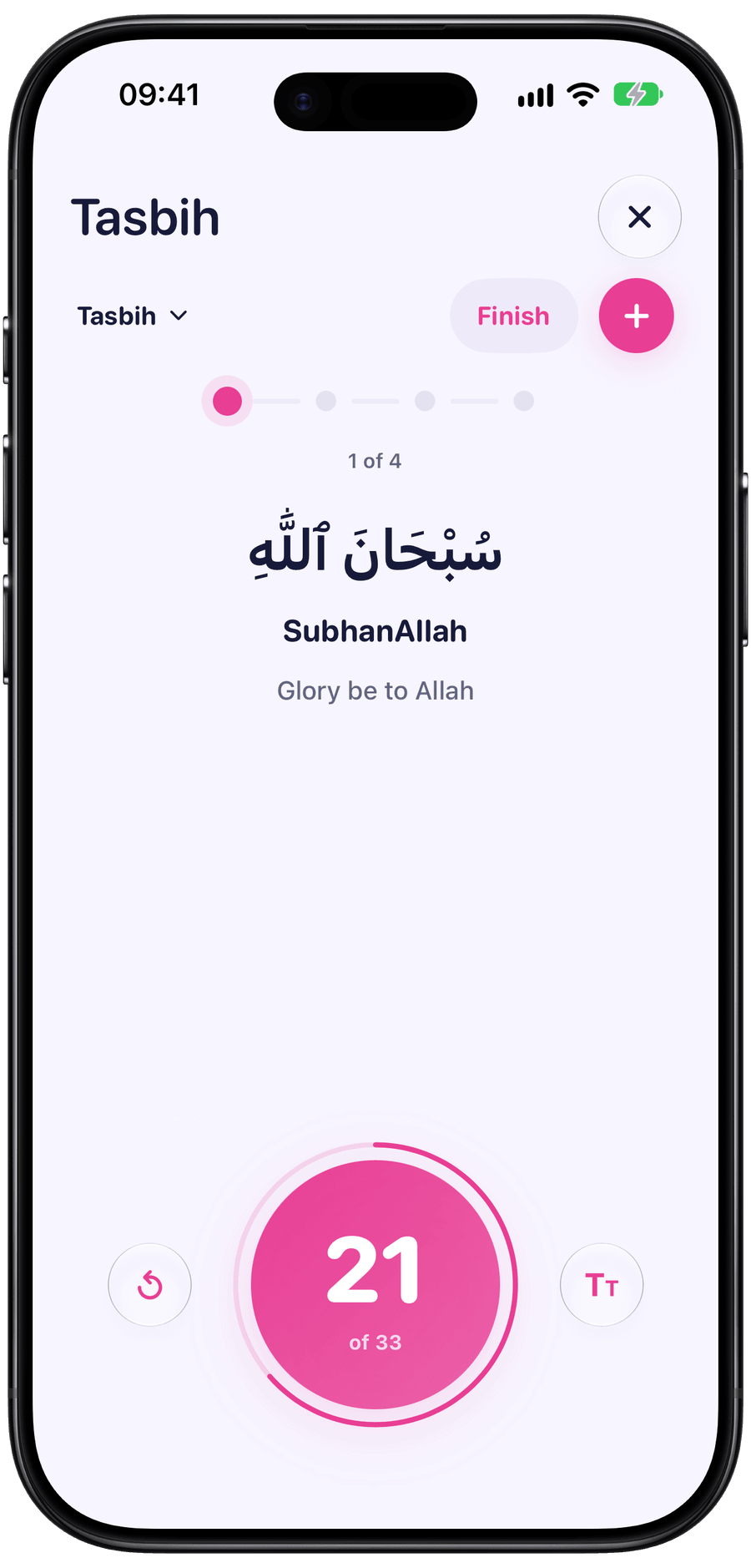
Prayde keeps count as you recite dhikr. Build a tasbih with the duas you choose, set a repeat count for each, and follow the sequence on screen. The Salah clock gives you a large view of prayer times.
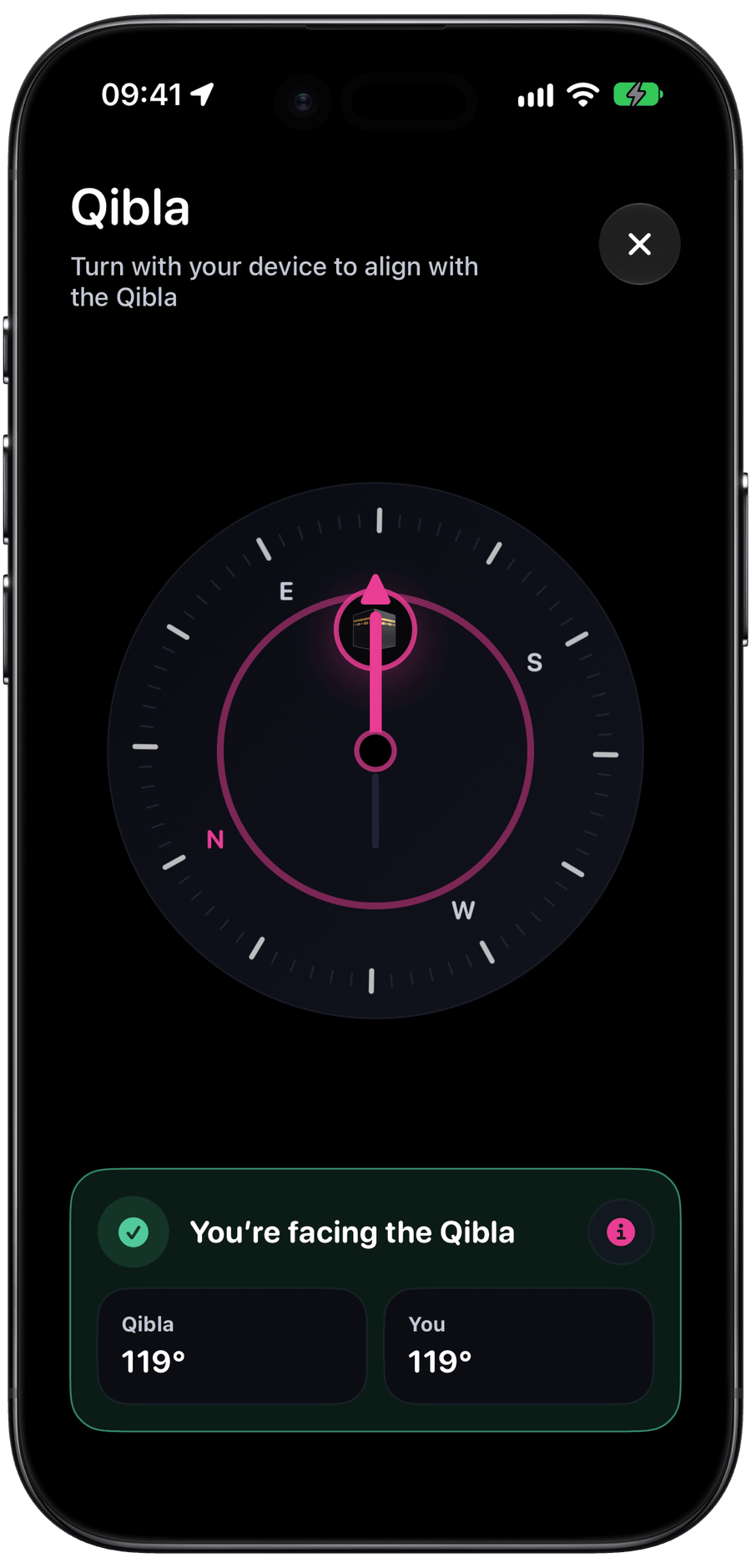
Prayde helps find the direction of the Kaaba. On iPhone, Prayde can use your location and device heading for a more useful compass experience, with manual coordinates available as a fallback.
Add widgets for prayer times, tracking, Quran, duas and tasbih. Prayde can remind you before each prayer and event, with an optional reminder to read after Salah. All reminders are scheduled on your device.

Choose how Prayde looks across themes, accents, app icons and widgets. Use Light or Dark mode, follow your device settings automatically, or choose Prayde, Tilda or Palestine. Pick from six accent colours and five app icons, with a 12- or 24-hour clock.


Prayde is built privacy-first. Your prayer tracking, preferences, calendar permissions and notification choices stay on your device. Quran audio and additional translations are downloaded from their sources when you use them.
Read the privacy policy →A clear list of the features included in Prayde 2.0.
Yes. Prayde is free, ad-free, and has no subscriptions or locked features.
No. Prayde works without an account. Your prayer tracking, settings, calendar permissions and preferences stay on your device.
Prayer times are calculated using your location, selected calculation method, Standard or Hanafi Asr, and any prayer offsets you choose. You can also enter coordinates manually.
Yes. Prayde can show Apple Calendar events in your day and create events that can be written back to Calendar.
Yes. For an earlier day, Prayde asks whether the Salah was prayed on time or made up later. Prayers can always be recorded.
Yes. Arabic, transliteration and both English meanings are available offline. Additional translations and audio need a connection to download, then work offline too.
Yes. Prayde has its own two-column iPad layout and supports iPhone Duo open, closed and half-folded. It requires iOS 16 or later, or iPadOS 16 or later on iPad.
The “Get back on track” card lets you read the missed pages or skip them. Reading late or catching up counts for the day the pages belong to. Prayde keeps a streak for each challenge and one across all challenges.
No. Prayer exemption works with dates logged in Prayde. Apple Health sync is optional.
Prayde is free, ad-free, and has no subscriptions or locked features.
Optional support is available in Prayde through the App Store.
Support PraydePrayde is 100% free, ad-free, and has no subscriptions or locked features. Optional support is welcome, though I kindly ask that you consider supporting charity in memory of my uncle, Majid Ashiq Khan, instead. If you'd still like to support the project directly, your contribution is deeply appreciated.

I built Prayde because, like many Muslims, I’ve struggled at times to stay consistent with my prayers. I wanted something simple that could help me stay accountable and plan my day around Salah.
Because Prayde was made to support something sacred, Prayde is free and will always remain free. There will never be paid features or a subscription. There is an optional support option for anyone who wants to support the project, but it is completely optional.
Prayde is dedicated to the memory of my late uncle, Majid Ashiq Khan.
إِنَّا لِلَّٰهِ وَإِنَّا إِلَيْهِ رَاجِعُونَ
Kade Ashiq
Found a bug, have an idea, or have a support enquiry about Prayde? Email hello@kadeashiq.co or send a note below.
For bug reports, include your device model, iOS or iPadOS version, Prayde app version, and the steps to repeat the issue.